Stop Quoting Jobs That Look Good But Leave You Broke.
Get a contractor pricing system that helps you check labor, materials, overhead, markup, margin, break-even, and real profit before you send the quote.
One payment. No subscription. Instant access. 14-day money-back promise.
Open the pricing tool from your phone before you quote. Then track real job costs after the work starts so you know what you actually kept.
- Price jobs before the customer hears the number
- Use the private pricing tool from your phone, truck, shop, or office
- Check labor, materials, overhead, markup, margin, break-even, and profit
- Track estimated vs actual costs after work starts
- Catch profit leaks before they quietly eat the job
- Includes Contractor Closer Kit scripts and templates
- Complete system for $79
- One-time payment
- No monthly software bill
- 14-day money-back promise
One-time payment. Digital download. No monthly software bill. 14-day money-back promise.
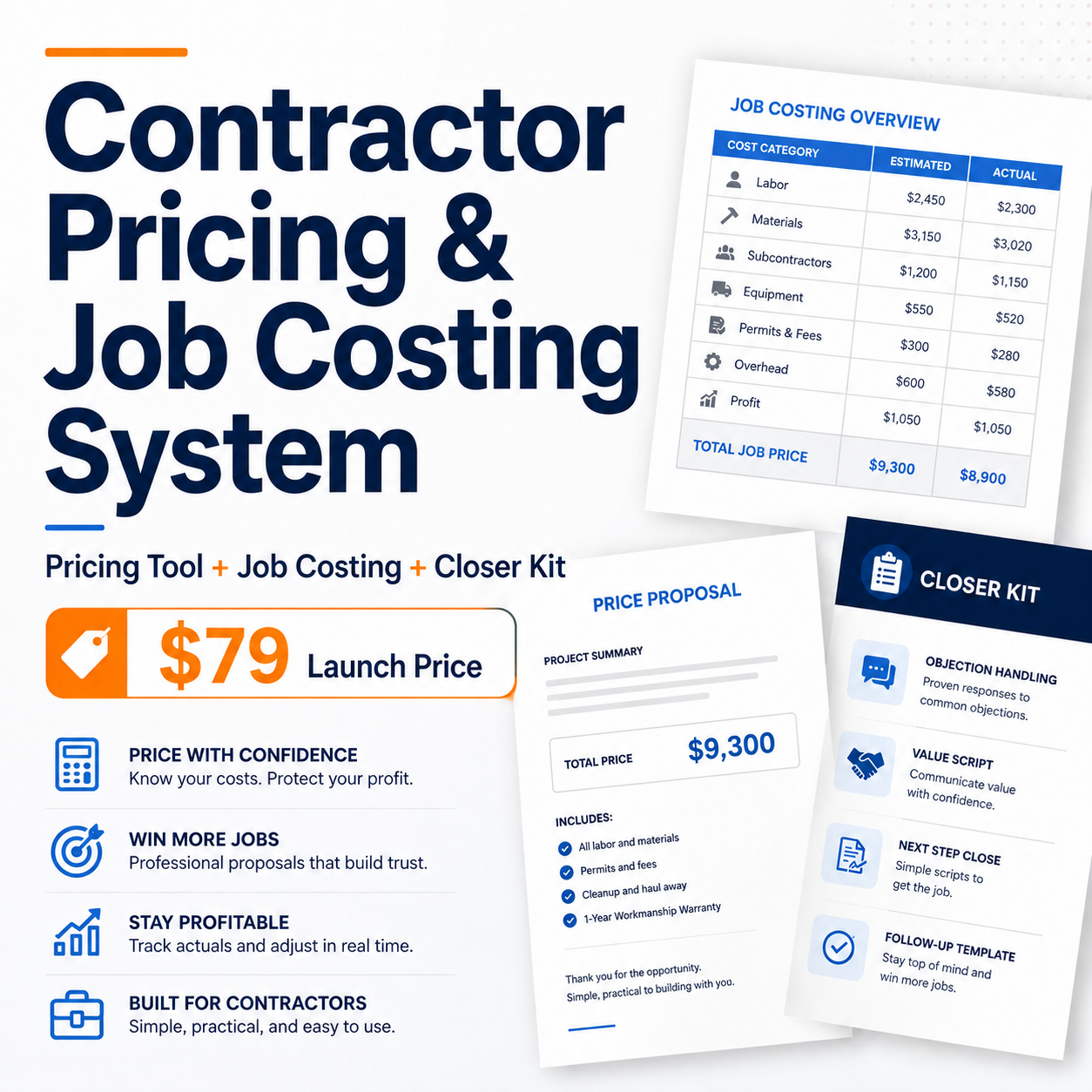
Includes the 6 in 1 Contractor Pricing Tool, Contractor Job Costing Spreadsheet, and Bonus Contractor Closer Kit.
Everything You Need for $79
Get the complete Contractor Pricing and Job Costing System for one payment of $79. No subscription, no monthly fee, no upsell required.
Contractor Pricing & Job Costing System
- 6-in-1 Contractor Pricing Tool (private online access)
- HTML version to install on your own WordPress website
- Contractor Job Costing Spreadsheet
- Contractor Closer Kit
- Quick Start Guide
- 14-day money-back promise
Instant download through Gumroad. One-time payment. No subscription.
Busy. Booked. Still Broke.
Most contractors are not losing money because they are lazy. They are losing money because they are pricing by feel, not by math. They walk the job. They think of a number. They send the quote. The customer says yes. The job starts. Labor runs long. Materials cost more. A callback eats half a day. The customer adds one little thing. Nobody writes a change order. Then the job closes and the profit is thinner than expected.
The job is not profitable just because the customer said yes.
A job can look clean at the top and skinny at the bottom. The quote goes out, the customer says yes, the work starts, and then labor runs a little long. Materials jump a little. Fuel is not free. A callback burns half a day. The customer wants one small change that is not so small. And suddenly the job that was supposed to make $2,800 made $900.
That is not bad luck. That is a pricing and tracking problem. And it is fixable.
If overhead is not built into the quote, it comes out of your pocket. If actual costs are not tracked while the job runs, you are flying blind. If you do not know the difference between markup and margin, you are probably charging less than you think.
The Contractor Pricing & Job Costing System is built to fix all three of those problems with two practical tools and a bonus kit that helps you hold your price once you know it.
Price The Job From Your Phone Before The Customer Hears The Number
You are standing in the driveway. Or sitting in the truck. Or walking the job with the homeowner asking, “So what do you think this will run?”
That is where a lot of contractors get hurt. They guess. They throw out a number. They try to remember the last job. They forget overhead. They forget how long the crew really took last time. They forget that materials are up again.
With the 6-in-1 Contractor Pricing Tool, you can set up a private pricing page, bookmark it on your phone, and open it before the quote goes out.
Before You Say a Number Out Loud, Check the Math.
- Enter the labor
- Enter the materials
- Enter the overhead
- Enter the profit target
- Check the break-even
- Check the margin
- Then give a number with your eyes open
- Works on phone, tablet, and desktop
- Can be set up as a private page
- Bookmark it on your phone
- Use it from the truck, shop, office, or jobsite
- No customer has to see it
- Use it before sending estimates
- Use it before giving ballpark numbers
- Use it before agreeing to a cheap job
You are not buying code. You are buying a quick way to check the job before the job checks your wallet.
One-time payment. No subscription. Instant digital download. 14-day money-back promise.
Eight Ways a Good Job Turns Into a Bad One
Most profit leaks are quiet. They do not show up until the job is done and the numbers do not add up. Here is where it usually goes wrong.
Guessing the Price
You look at the job, think about what feels right, and send a number. No overhead check. No margin check. No break-even check. Just a gut call that may or may not cover what the job actually costs.
Missing Overhead
Truck payment. Insurance. Fuel. Tools. Phone. Software. Licenses. These costs exist whether you are on a job or not. If they are not in the quote, they come out of your profit. Every single time.
Labor Running Long
You estimated 12 hours. It took 17. That five-hour difference does not disappear. It comes straight out of what you were supposed to keep. And if you are not tracking it, you may not even notice until the next job.
Material Prices Moving
You quoted based on last month’s pricing. By the time you buy, it costs more. If you are not tracking estimated vs. actual material costs on every job, you are absorbing those increases without knowing it.
Callbacks Eating Margin
One callback on a tight job can wipe out the profit. Two callbacks and you are working for free. If callbacks are not factored into your pricing and tracked as a real cost, they are invisible money out the door.
Scope Creep
The customer adds things. Small things. Things that seem easy to say yes to. But small things add up to real hours and real materials. Without a change order process, those additions come out of your margin.
Price Shoppers
You spend an hour writing a detailed estimate. The customer takes it to three other guys and picks the cheapest one. That estimate time cost you money. If you do not have a filter for serious buyers, you are subsidizing tire kickers.
No Job Costing After the Job
The job closes. The check clears. You move on. But you never looked at what the job actually cost versus what you estimated. So you repeat the same pricing mistakes on the next one.
Three Pieces That Work Before, During, And After The Job
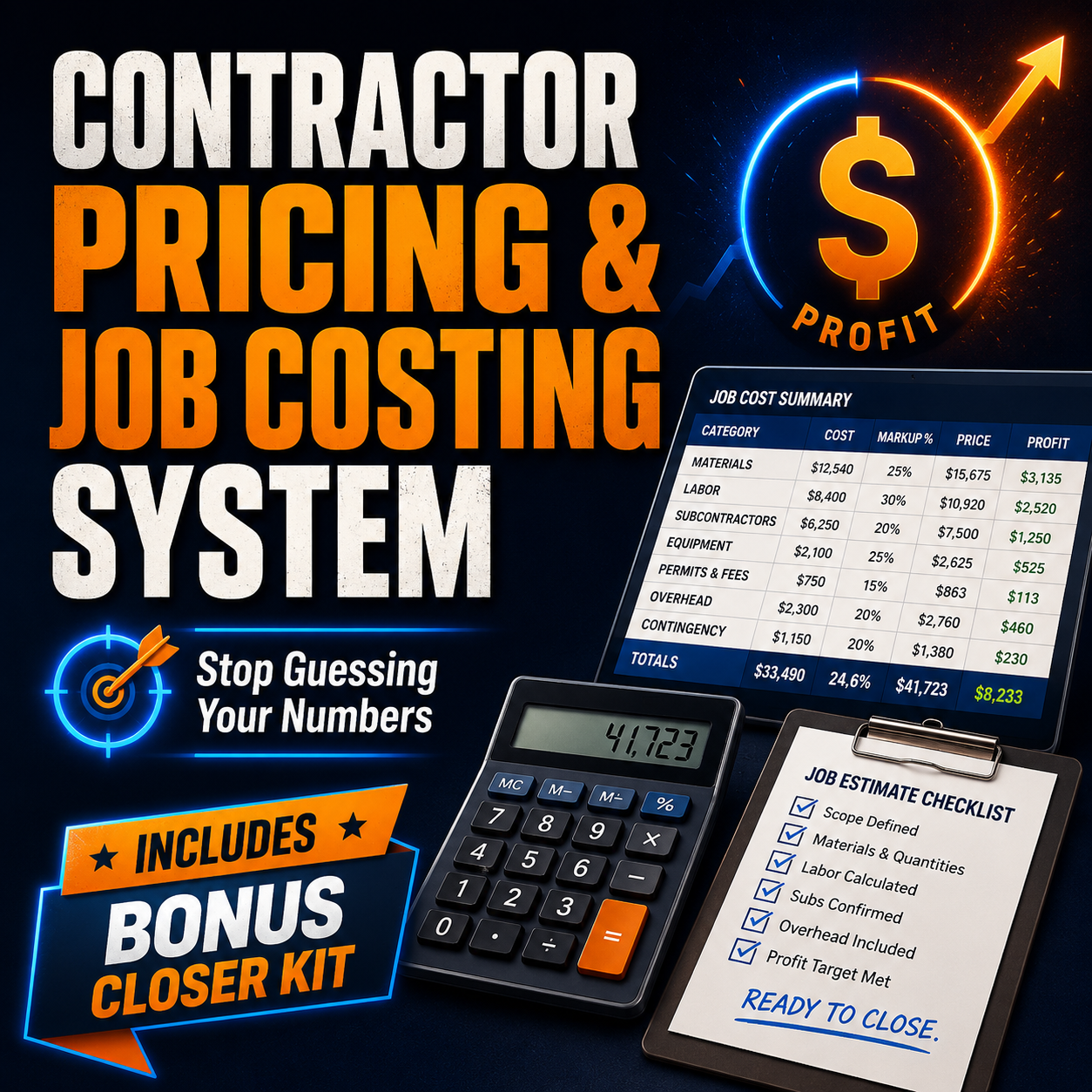
6-in-1 Contractor Pricing Tool
Use this before you quote. It runs six checks on every job so you know your real number before the customer sees it. This is the tool you can set up as a private pricing page and open from your phone before you quote the job.
- Job Price Builder: builds a price from labor, materials, overhead, and profit
- Profit Check: confirms your margin before the quote goes out
- Markup vs. Margin Calculator: shows you the real difference so you stop leaving money behind
- Break-Even Calculator: shows the minimum you need to cover costs on any job
- Overhead Allocation Calculator: spreads your monthly overhead across jobs so it is always in the price
- Labor Burden Calculator: adds the real cost of an employee beyond their hourly rate
Install it on your own contractor website by copying the included HTML code into a WordPress Custom HTML block or compatible HTML section. Use it as an internal pricing tool before sending quotes. No plugin. No monthly bill. Customizable for your trade and your numbers.
Two Ways To Use The Pricing Tool
After purchase, you receive private online access to the complete 6-in-1 calculator on our password-protected customer page. Use it from your phone, tablet, or desktop — no installation needed. You also receive the HTML version so you can copy the code and install it on your own WordPress website if you prefer. Use either option, or both.
Contractor Job Costing Spreadsheet
Use this after the job starts. It tracks what you estimated versus what the job is actually costing in real time, so you can see what the job is really doing instead of waiting until the end and guessing what happened.
- Estimate Builder: sets your baseline budget before work starts
- Job Cost Tracker: logs actual labor, materials, and other costs as they happen
- Project Dashboard: shows budget vs. actual at a glance
- Profit Summary: calculates real profit margin as the job progresses
- Quote Summary: printable summary for client-facing use
- Works in Excel and Google Sheets
Includes a blank version and a Quick Start PDF so you can use it on your next job without a learning curve.
Contractor Closer Kit
Knowing your number is one thing. Holding your number is another. Use this when customers push back, ask for extras, go quiet, or try to grind down the price.
- Estimate templates
- Scope of work templates
- Change order templates
- Invoice templates
- Deposit request scripts
- Price objection replies
- Follow-up scripts
- Tire kicker filters
- Review request scripts
Included in both PDF and editable DOCX format so you can customize it for your business.
One-time payment. No subscription. Instant digital download. 14-day money-back promise.
Four Steps. Every Job.
The system is designed to follow the natural flow of a contracting job. You do not need to learn new software or change how you work. You just add the tools at the right moments.
Price the Job Before You Quote It
Open the 6-in-1 Pricing Tool from your phone, truck, or office. Enter your labor, materials, and overhead. Check your margin. Send the quote with confidence.
Track Real Costs While Work Happens
Open the Job Costing Spreadsheet when the job starts. Log actual costs as they come in. Watch the profit number in real time.
Review What You Actually Kept
When the job closes, check the final numbers. See where the estimate was off. Use that to price the next job better.
Hold Your Price With the Closer Kit
Use the templates and scripts to handle objections, document scope changes, and close jobs without giving away margin.
Guessing The Price vs Checking The Numbers
| Guessing The Price | Using The System |
|---|---|
| Price by feel | Check numbers before quoting |
| Forget overhead, it comes out of profit | Build overhead into every job automatically |
| Confuse markup with margin | See markup vs margin clearly on every job |
| Miss labor burden | Include labor burden in the price |
| Forget callbacks, they eat the margin | Track estimated vs actual costs in real time |
| No change order process, extras are free | Use change order templates, document every addition |
| Find out profit after the job is done | Review what you actually kept before the job closes |
| Win jobs that were not worth winning | Stop taking jobs that quietly rob you |
A $7,500 Job Can Look Fine And Still Bleed Profit
This is a fictional example to show how the math works. The numbers are simplified on purpose. The point is not the exact numbers. The point is that the gap between what you thought you would keep and what you actually kept is real.
| Materials (estimated) | $2,200 |
| Labor (estimated: 40 hours at $45/hr) | $1,800 |
| Overhead share (monthly overhead divided across jobs) | $600 |
| Subtotal estimated costs | $4,600 |
| Estimated profit | $2,900 |
Then reality hits:
| Materials (actual, prices moved up) | $2,480 |
| Labor (actual: 47 hours, ran long) | $2,115 |
| Callback (half day to fix a door trim issue) | $180 |
| Overhead share (same) | $600 |
| Subtotal actual costs | $5,375 |
| Actual profit | $2,125 |
This is a simplified example. The job costing spreadsheet would have flagged the labor overrun at hour 43, giving you a chance to have a scope conversation before the job was done. The numbers will be different for every business and every job.
One-time payment. No subscription. Instant digital download. 14-day money-back promise.
One Bad Quote Can Cost More Than This Whole System
This is not a magic promise. Every business is different. But one underpriced job, one missed change order, one callback, or one labor mistake can cost more than $79 fast. The complete system is a one-time $79 that can still cost less than one ugly pricing mistake.
One underpriced jobcan eat more than $79 when overhead is not in the quote.
One missed change ordercan wipe out the cost of the system on a mid-size job.
One callbackon a tight job can burn a full day and the profit with it.
One monthly software billcan cost more over time than this one-time system.
These are examples, not promises. Results depend on how the tools are used and the specifics of your business.
One-time payment. Digital download. No monthly bill. 14-day money-back promise.
Bonus: Contractor Closer Kit
Knowing your number is half the job. The other half is holding your number when the customer pushes back, asks for extras, or goes quiet after the quote.
The Contractor Closer Kit gives you the templates and scripts to handle those moments without fumbling, discounting, or giving away work for free.
What is in the Contractor Closer Kit:
- Estimate templates: professional, clear, and scope-tight
- Scope of work templates: define exactly what is and is not included
- Change order templates: document every addition before it happens
- Invoice templates: get paid clearly and on time
- Deposit request scripts: ask for the deposit without it feeling awkward
- Price objection replies: what to say when they say “that seems high”
- Follow-up scripts: check in on open quotes without being pushy
- Tire kicker filters: identify serious buyers before you spend time on an estimate
- Review request scripts: ask for the five-star review at the right moment
Included in PDF format for reference and editable DOCX format so you can put your business name on it and make it yours.
Who This Is For
This is for contractors who quote jobs, run a small crew, price jobs from the field, want to stop guessing, want to understand real profit, want to check labor, materials, overhead, and margin before quoting, want simple tools without a monthly software bill, want a private pricing page they can use from their phone, and want to protect their price when customers push back.
Trades this is built for:
- Roofers
- Plumbers
- HVAC contractors
- Electricians
- Remodelers
- Painters
- Concrete contractors
- Landscapers
- Handymen
- Flooring contractors
- Fence companies
- Gutter companies
- Small general contractors
- Home service business owners
Use the calculator on the private customer page or install it on your own website. Both options are included.
This is not for you if you want:
- Full accounting software
- A full CRM system
- Tax, legal, or accounting advice
- Guaranteed profit or guaranteed results
- Resale rights or agency license
- A system you will never open
- A WordPress site that needs major repair before setup
This is a practical digital tool. You need to be willing to open a spreadsheet and enter your numbers. If that is not you, this is not the right product.
Everything You Need for $79
One complete system. One payment. No subscription and no upsell required.
Contractor Pricing & Job Costing System
- 6-in-1 Contractor Pricing Tool (private online access)
- HTML version to install on your own WordPress website
- Contractor Job Costing Spreadsheet
- Contractor Closer Kit
- Quick Start Guide
- 14-day money-back promise
Instant download through Gumroad. No subscription.
What You Can and Cannot Do With This Product
This is a personal business use license. It is designed for one contractor or one business to use for their own jobs and operations.
This license does not include:
- Resale rights
- Agency rights
- White label rights
- Sharing with other businesses
- Distributing to clients or customers
- Rebranding and reselling
An agency or multi-user license may be offered in the future. If that is what you need, check back or contact us directly.
Frequently Asked Questions
It is a digital system for contractors who want to price jobs before they quote, track real job costs after work starts, and protect their price when customers push back. It includes a 6-in-1 Contractor Pricing Tool, a Contractor Job Costing Spreadsheet, and the Contractor Closer Kit.
The 6-in-1 pricing tool with private online access, the HTML version you can install on your own WordPress website, the job costing spreadsheet, the closer kit, the quick start guide, and supporting files. It is an instant download through Gumroad. One-time payment, no subscription, no monthly fee.
Yes. The pricing tool can be set up as a private, phone-friendly page. You can bookmark it on your phone and open it before you quote a job. Enter labor, materials, overhead, and profit target, then check margin and break-even before the customer hears the price. The job costing spreadsheet is better for office, tablet, or laptop use, but the pricing tool is meant to be fast enough to use before an estimate goes out.
It can be set up as a private or hidden page on your site. No customer has to see it unless you choose to show it. The point is to give you a simple internal pricing page you can open before quoting jobs.
Yes. Once the pricing page is set up, you can bookmark it on your phone so it is easy to open from the truck, shop, office, or jobsite.
The private pricing page setup is designed for WordPress sites. The DIY HTML code may work in some other website builders that allow custom HTML, but WordPress is the cleanest path. The job costing spreadsheet and closer kit do not require WordPress.
No. Jay does not give legal, tax, accounting, or financial advice. The tool works out of the box. Jay installs it and shows you how to use it. The pricing decisions are always yours.
No. It is not full accounting software and it does not replace your accountant or bookkeeping system. It is a practical pricing and job costing system to help you check job numbers before and during the work.
No. QuickBooks helps with bookkeeping and accounting. This system helps with pricing, job costing, and quote discipline. They do different jobs.
No. Nothing can guarantee that. The system gives you tools to check your numbers, track costs, and catch profit leaks. Your results depend on how you use it and how you run your business.
No. This is a one-time purchase. You pay once and you own the files. There is no monthly fee, no renewal, no login required, and no account to manage. You download the files, save them to your computer or cloud storage, and use them as long as you want.
Yes. That is one of the best uses. Before you throw out a number from memory, open the tool and check the job math first.
Yes. The job costing spreadsheet helps track estimated vs actual costs, labor, materials, other expenses, and real profit as the job moves along.
It is built for small contractors and home service businesses that quote jobs. Roofers, plumbers, HVAC contractors, electricians, painters, remodelers, landscapers, concrete contractors, handymen, flooring contractors, fence companies, gutter companies, and small general contractors can all use it.
After checkout, Gumroad gives you access to the download. You receive the Quick Start Guide, the pricing tool HTML code, the job costing spreadsheet, and the Closer Kit files. You also receive the private customer page link and password so you can start using the calculator online right away.
No. Do not send your main password by email. Create a temporary WordPress admin user for setup and delete it when the work is complete.
Yes. The Contractor Job Costing Spreadsheet is compatible with Google Sheets. You can upload the Excel file to Google Drive and open it in Google Sheets, or make a copy and save it to your Drive for easy access from any device. Most formulas and formatting transfer cleanly.
Yes. The tools are designed for ongoing use across all your jobs. The 6 in 1 Contractor Pricing Tool is installed on your own website so you can run pricing numbers before every quote. The Job Costing Spreadsheet includes a blank version so you can make a copy for each new job. There is no limit on how many jobs you can run through the system.
No. This product is licensed for personal business use only. You cannot resell it, share it with other businesses, use it as a deliverable for your clients, rebrand it, or distribute it in any form. The license covers one business using the tools for their own jobs and operations.
Jay Orban runs InstantSalesFunnels.com and creates simple contractor tools, calculators, lead pages, and business systems for small service businesses. The goal is practical help, not bloated software.
No. This product is a digital tool for business planning and job management purposes. It is not legal advice, tax advice, accounting advice, or financial advice. The calculations in the tools are based on inputs you provide and are intended to help you think through your pricing and job costs. They are not a substitute for working with a licensed accountant, CPA, or financial professional.
Contractors Who Use It Every Day
Real feedback from contractors across the country who picked up the system and put it to work.
I’ve been doing concrete flatwork in the Rockford area for eleven years and I was still quoting jobs the same way I did when I started. Gut feel, rough material count, and whatever felt right for labor. This system made me realize I had been leaving overhead out of almost every single job. The break-even calculator alone was worth the price. I ran my last three driveways through it before quoting and every one of them came in higher than I would have quoted before. Customers said yes to all three. I’m not guessing anymore.
I run a two-man electrical crew out of Columbus and we stay pretty busy. Busy enough that I never stopped to actually look at what we were keeping. Picked this up on a slow Tuesday and spent about an hour going through the spreadsheet on a job we had just closed. Found out we made about $400 less than I thought we did because labor ran over and I hadn’t tracked it. That’s not a huge number but it happens on every job. Now I track it every time and I’ve tightened up my estimates considerably.
I do residential painting in the Charlotte area and the Closer Kit alone paid for this thing. I had a customer last month who pushed back hard on a $4,200 exterior quote. In the past I would have dropped the price just to close it. Instead I used one of the objection reply scripts, held my number, and she booked it two days later at full price. I’ve probably given away thousands of dollars over the years just because I didn’t know what to say when someone said “that’s too high.” Now I do.
HVAC service and replacement out of Kansas City. I’ve tried a couple of the big estimating software platforms and they’re way more than I need. Monthly fees, training videos, features I’ll never touch. This is the opposite of that. I downloaded it, opened the pricing tool, and was running numbers on a job within fifteen minutes. The markup vs. margin calculator was a wake-up call. I had been thinking I was hitting 35% margin when I was actually closer to 26%. That difference adds up fast over a full season of installs.
I do roofing and gutters in the Tampa Bay area. Storm season keeps us slammed and I was quoting fast, which usually meant quoting low. Started using the pricing tool from my phone while I’m still at the property doing the inspection. Customer’s standing right there asking what it’s going to cost and instead of blurting out a number I tell them I’ll have it to them in a few minutes. I run the numbers, check my margin, and send the quote. It’s changed how I present pricing and I’ve had fewer customers try to negotiate me down.
General remodeling, mostly kitchens and bathrooms, out of Minneapolis. Scope creep was my biggest problem and I knew it but I didn’t have a clean process for handling it. The change order templates in the Closer Kit are exactly what I needed. Simple, professional, and they set the right expectation with the customer before the work even starts. I’ve also been using the job costing spreadsheet on every project now and I can see in real time when a job is trending over budget. That visibility alone has been worth it.
I run a small landscaping and irrigation company in Albuquerque. Seasonal work means I have to make every job count because there’s no room to absorb bad ones. I was pricing irrigation installs without factoring in my truck, equipment wear, or the time I spend sourcing parts. The overhead allocation calculator showed me exactly how much I needed to build into every job just to cover my fixed costs. I repriced my service packages after going through it and I feel a lot more confident about where my numbers are now.
Plumbing contractor out of Pittsburgh, been at it for about sixteen years. I bought this mostly for the job costing spreadsheet because I had a rough year where a few jobs that should have been solid ended up thin and I couldn’t figure out why. Went back through two of them using the spreadsheet and found the pattern. Labor was running about 20% over on jobs with older homes because of unforeseen access issues. I now build a buffer into those estimates and my numbers have been a lot more consistent. Simple tool, does exactly what it says.
Try It Risk-Free for 14 Days
Try the complete system for 14 days. If it does not match what was promised on this page, contact us for a full refund. No hoops. No hassle.
Ready To Stop Guessing Your Quotes?
Get the complete Contractor Pricing and Job Costing System for a one-time $79. Before you quote the next job from memory, check the numbers.
One-time payment. No monthly software bill. 14-day money-back promise. Built for contractors who want practical numbers before the quote goes out.
Results vary. This product does not guarantee profit, revenue, jobs, savings, or business results. It is not accounting, tax, legal, or financial advice. You are responsible for your prices, estimates, costs, and business decisions. Every contracting business is different. Review important financial, legal, and tax decisions with a qualified professional.